# Verticator
A plugin for [Reveal.js](https://revealjs.com) 4 that adds indicators to show the amount of slides in a vertical stack.
[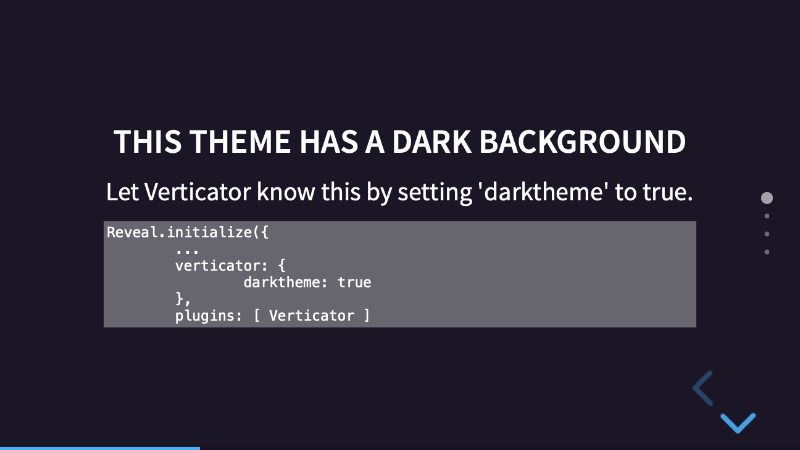](https://martinomagnifico.github.io/reveal.js-verticator/demo.html)
Sometimes you would like to have an indication of how many slides are remaining in a vertical stack. This plugin does just that. It is visually similar to the indicators at [fullPage.js](https://alvarotrigo.com/fullPage/).
* [Demo (no options set)](https://martinomagnifico.github.io/reveal.js-verticator/demo.html)
* [Dark theme with no color options](https://martinomagnifico.github.io/reveal.js-verticator/demodark.html)
* [Light theme with color options](https://martinomagnifico.github.io/reveal.js-verticator/democolor.html)
* [Dark theme with color options](https://martinomagnifico.github.io/reveal.js-verticator/demodarkcolor.html)
Don't overdo it. You probably don’t want 30 bullets on the right-hand side of your presentation.
## Installation
### Regular installation
Copy the verticator folder to the plugins folder of the reveal.js folder, like this: `plugin/verticator`.
### npm installation
This plugin is published to, and can be installed from, npm.
```javascript
npm install reveal.js-verticator
```
The Verticator plugin folder can then be referenced from `node_modules/reveal.js-verticator/plugin/verticator `
## Setup
### JavaScript
The Verticator plugin has been rewritten for Reveal.js version 4. Verticator also works in setups with multiple Reveal instances.
If you want to use Verticator with an older version of Reveal, use the [1.0.2 version](https://github.com/Martinomagnifico/reveal.js-verticator/releases).
There are two JavaScript files for Verticator, a regular one, `verticator.js`, and a module one, `verticator.esm.js`. You only need one of them:
#### Regular
If you're not using ES modules, for example, to be able to run your presentation from the filesystem, you can add it like this:
```html
```
#### As a module
If you're using ES modules, you can add it like this:
```html
```
### HTML
Verticator needs a UL with the class 'verticator' to insert the indicators. If there is not one already in the HTML, Verticator will generate it automatically for you.
## Configuration
There are a few options that you can change from the Reveal.js options. The values below are default and do not need to be set if not changed.
```javascript
Reveal.initialize({
// ...
verticator: {
darktheme: false,
color: '',
oppositecolor: '',
skipuncounted: false,
clickable: true
},
plugins: [ Verticator ]
// ...
]
});
```
* **`darktheme`**: Verticator assumes a light theme by default. Let Verticator know if your theme is dark with this option.
* By default, the Verticator bullets are black, and will be white on a dark slide. By setting `darktheme: true`, this behaviour is inverted.
* Reveal.js offers an option to let certain slides have an other background than the rest. For example, if the theme is light, and you use `` on one or more slides, those slides will then be black. For dark themes, you simply use a light color in the data-attribute. The value of the data-attribute needs to be hexadecimal, because Reveal.js does a calculation on it to see if that color is light or dark. The Verticator bullets will invert on those slides.
* Some of the themes ('simple', 'black' and 'white') will also invert the text colors in that case. If you use another theme, you need to copy that CSS to your own theme. The Verticator inverting behaviour will always work, even if the theme text colors are not inverted.
* **`color`**: To override the default black color (or the white color if `darktheme` is `true`), simply give a new color here. You can use standard CSS -, hexadecimal - or RGB colors.
* **`oppositecolor`**: To override the default white color (or the black color if `darktheme` is `true`) on slides that have a dark color (or light color if `darktheme` is `true`) set through the data-attribute, simply give a new color here. You can use standard CSS -, hexadecimal - or RGB colors.
* **`skipuncounted`**: Omit drawing Verticator bullets for slides that are marked with Reveal.js 4.0' `data-visibility="uncounted"`. This behaviour is disabled by default.
* **`clickable`**: Allow navigation to a slide by clicking on the corresponding Verticator bullet. This behaviour is enabled by default.
## Like it?
If you like it, please star this repo.
## License
MIT licensed
Copyright (C) 2019 Martijn De Jongh (Martino)